

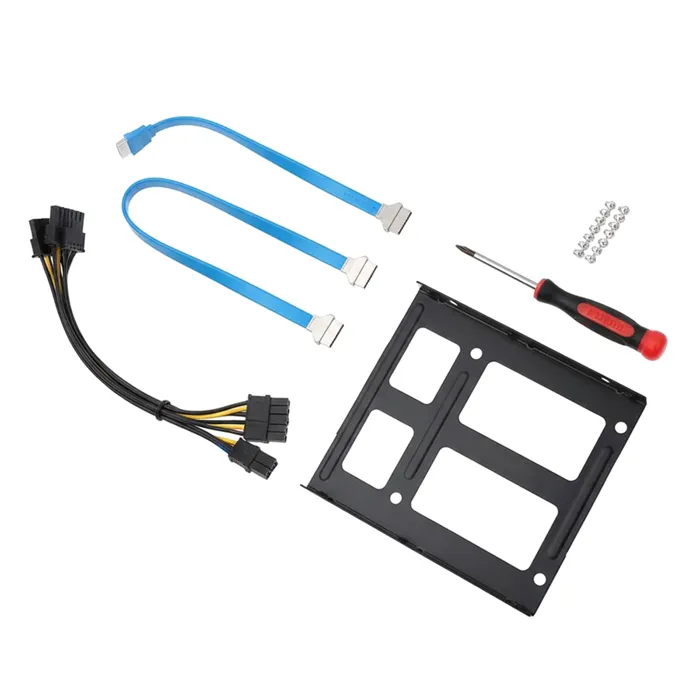
Backup Devices & Media

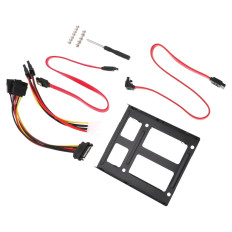
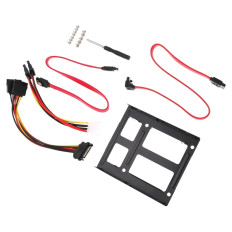
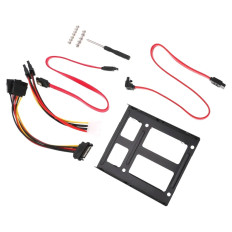
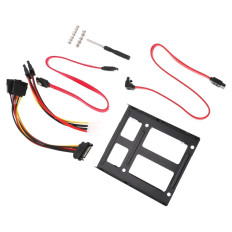
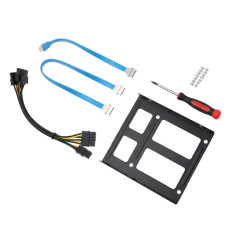
Buy Backup Devices Media in the USA: Protect Your Data
Data is king in the current era of information technology. Whether you're a small business owner, a professional IT manager, or just someone who loves keeping their personal photos safe, understanding backup devices and media is essential. If you’re wondering where to buy backup devices online or what the best backup media options are in the USA, you’ve come to the right place. This is designed to help you confidently back up devices and media, keeping your data safe, accessible, and protected.
What Are Backup Devices and Media?
Backup media and devices are storage and hardware solutions used to duplicate, safeguard, and hold your information. You can visualize them as electronic safes, keeping your key information stored so you can access it as needed. They consist of cloud storage, backup tapes, tape drives, and external drives.
In plain language, backup media refers to the physical or virtual medium used for backing up files, applications, or entire systems. The media backup can vary from a high-speed external SSD to a magnetic tape backup facility, depending on your particular requirements.
Why You Should Keep Backup Media Off-Site
Off-site storage of backup media is essential for data protection. In the event of a disaster, whether it's fire, theft, or flood, at your primary location, keeping your backup media off-site ensures that your data remains secure. Off-site storage also insulates against cyberattacks on your local network.
Real-world scenario: Most companies in the USA rely on purchasing data storage media over the internet and utilizing off-site locations to store their mission-critical data, ensuring smooth operations even in the event of unexpected disasters.
How Many Backup Tapes Do You Need?
The number of backup tapes required depends on your data volume, backup frequency, and retention policy. For example, a small business with 1TB of data might need just a few tapes, while a larger enterprise with multiple terabytes will require a more extensive tape backup system.
Tip: Always schedule incremental backups and maintain multiple copies to preserve data integrity. For tapes, look for formats such as LTO (Linear Tape-Open), which are widely used in tape drive storage systems due to their reliability and capacity.
What Is the Best Way to Back up your Entire Computer?
For overall backup, professional backup devices & media such as computer backup tapes or backup drives are best. Others prefer a mix of physical media and cloud options for redundancy.
Recommended method: Use high-performance backup units, such as external SSDs or server backup tapes, for system backup. Server backup devices or server backup tapes are typically used in business environments, whereas backup media such as external drives are more suitable for individual purposes.
How Long Will a 1TB Hard Drive Last?
The life expectancy of a 1TB hard drive is dependent on usage, environment, and quality. Hard Disk Drives (HDD) generally last 3-5 years, whereas SSDs are longer-lived, lasting 5-7 years due to the absence of moving parts.
Tip: Buying refurbished backup devices and media can be a cost-effective and worthwhile option, particularly from reputable sources such as Goto Direct. Proper storage conditions are crucial to ensure the maximum lifespan of any item.
Which Lasts Longer: SSD or HDD
SSDs last longer because they do not use mechanical components. Solid State Drives (SSD) are also more costly per gigabyte. SSDs are an excellent option for backup files and media types that require fast access, especially when backup devices & media must be long-lasting.
Pros & Cons:
| Feature | SSD | HDD |
| Lifespan | Longer | Shorter
|
| Speed | Faster | Slower
|
| Cost | Higher | lower |
| Durability | More durable | Less durable
|
What Is the Best Method of Storing Photos?
To store photos, backup media such as external hard drives or magnetic tape backup systems are preferred. External drives are fast, easy to use, and transportable, whereas tape backup systems offer extended storage for huge photo libraries.
Tip: Buy data storage media online from reputable stores to ensure quality and longevity, especially if you're storing irreplaceable memories.
What Is the Average Lifespan of an SD Card?
An SD card usually lasts 5-10 years, depending on usage and storage conditions. Writing and frequent exposure to hot temperatures will cut its life short. For backup media, use refurbished devices and media that meet high-quality standards.
Types of Backup Devices Media: Which One Is Right for You?
Backup media devices are available in several types, each type suitable for a given need:
- External backup drives: Fast, convenient, and portable.
- Backup tapes & tape drives: Perfect for massive, long-term storage, including tape backup for home or server hardware backup.
- Cloud storage: Easy for off-site backup, accessible from anywhere in the world.
- Removable media: USB flash drives, SD cards, suitable for fast backups and portability.
The right choice depends on your storage requirements, budget, and whether you want physical or cloud backup media.
Features to Keep in Mind When Selecting Backup Devices Media
When you go out to buy backup devices & media, these features should be on your mind:
- Capacity: Ensure that the device has enough capacity to accommodate your existing and future storage requirements.
- Speed: Quicker backup media minimizes downtime.
- Durability: Particularly critical for mobile backup drives.
- Compatibility: Make sure the device is compatible with your platform (Windows, Mac, Linux).
- Cost: Opt for budget-friendly backup devices and media that provide the most value.
- Brand reliability: Opt for well-known brands or refurbished backup devices and media that are known to work.
How to Properly Store and Maintain Backup Media Devices
Proper storage and care extend the life of your backup media:
- Keep backup drives and tapes in dry, cool places.
- Protect against magnetic fields, high temperatures, and moisture.
- Periodically check your backups for data integrity.
- Apply media backup solutions such as magnetic tape backup or tape media storage for long-term archiving.
- Store multiple copies, preferably in separate places, for disaster recovery.
Advantages of Utilizing Dependable Backup Devices for Data Protection
The use of professional backup devices & media has several advantages:
- Protection of data against hardware failure, theft, or disaster.
- Rapid recovery of lost or damaged files.
- Compliance with data security standards.
- Gives peace of mind, particularly to companies in the USA dealing with sensitive information.
- Refurbished backup devices and media may be a financially efficient method for acquiring high-quality hardware at a lower expense.
Comparing Different Backup Media Options: HDD, SSD, Cloud, and More
Here's a quick comparison to help you decide:
| Backup Media Type | Pros | Cons | Best For
|
| External backup drives | Fast, portable | Vulnerable to physical damage | Personal and small business use
|
| Backup tapes & tape drive storage | Cost-effective for large data | Slower access | Long-term storage & server backups
|
| Cloud backup solutions | Off-site, scalable | Ongoing subscription costs | Remote access & disaster recovery
|
| Refurbished backup devices and media | Cost-efficient | Slightly less reliable if quality isn't verified | Budget-conscious users
|
Pro tip: A blend of high-speed backup devices and backup tapes offers the optimal mix of speed and protection.
Top Brands for Backup Devices Media in the USA
A few of the most reliable brands are:
- Goto Direct: Reputed for refurbished backup devices and media that are affordable and dependable.
- Seagate & Western Digital: Pioneers of external drives.
- IBM & HPE: Known for enterprise-grade server backup hardware.
- Sony & SanDisk: For backup tapes and SD cards.
- Quantum & Dell: For magnetic tape backup systems.
Frequently Asked Questions
Q1: What are the three types of backup media?
A: The three primary backup media types are physical devices, such as external backup drives, backup tapes, and removable media (e.g., USB drives, SD cards). Cloud storage is also a virtual backup medium.
Q2: What are the four backup storage devices?
A: They are hard drives (HDDs), solid-state drives (SSDs), magnetic tapes, and cloud storage.
Q3: What is backup media?
A: Backup media refers to physical or virtual storage space used to store a copy of data, such as backup tapes, external drives, or cloud storage.
Q4: What are the devices you can use to back up your computer?
A: External backup drives, backup tapes, tape drives, or cloud-based solutions can be used to back up your computer.
Q5: What is the ideal method for backing up my whole computer?
A: The best method is to use high-capacity backup devices, such as computer backup tapes or server backup equipment, in conjunction with cloud backup for remote protection.
Q6: How long does a 1TB hard drive last?
A: HDDs generally last 3-5 years, while SSDs last 5-7 years under optimal care.
Q7: What lasts longer: SSD or HDD?
A: SSDs are longer-lasting due to the lack of moving components, but HDDs are also dependable if maintained in good condition.
Q8: How to store photos best?
A: Storing photos with external backup drives, tape backups, or online storage keeps your photos secure and readily accessible.
Q9: How long do SD cards last?
A: SD cards typically have a lifespan of 5-10 years, depending on usage and environmental conditions.
Safeguard Your Data with the Best Backup Devices & Media in the USA
With data loss potentially being disastrous, selecting the appropriate backup devices and media has never been more critical. Whether you are seeking low-cost backup devices and media, professional-grade devices & media backup, or used backup devices and media to reduce costs, the answer is to choose solutions that meet your requirements, budget, and potential future needs.
Why Buy Backup Media Online in the USA? It is convenient, offers a large variety to choose from, and is competitively priced. From purchasing data storage media online to buying backup media devices and external hard drives, the options are immense, and the advantages are invaluable.
Keep in mind, the most effective backup devices are those that are easy to use, scalable, and reliable. Consider tape-based backup systems for long-term data storage or high-speed backup devices for rapid recovery. And remember to keep multiple copies, onsite and offsite, so your precious data is secure no matter what.
Shield your online life now by investing in the most effective backup devices and media available in the USA. Whether you're an IT professional, small business owner, or individual user, the best backup will provide peace of mind knowing your information is safe, secure, and readily accessible.