

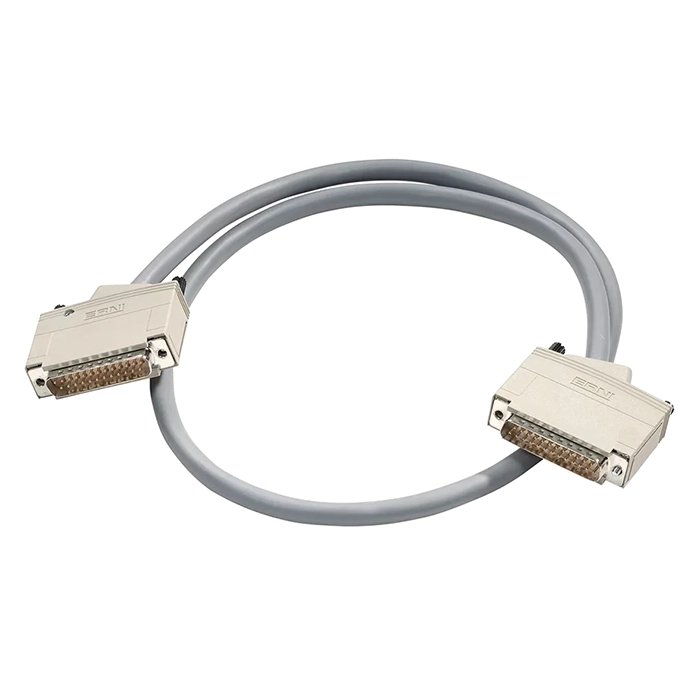
SCSI Cables

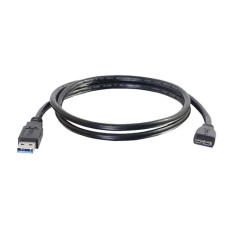
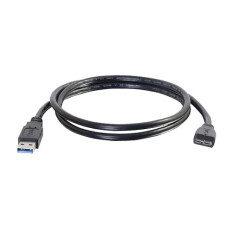
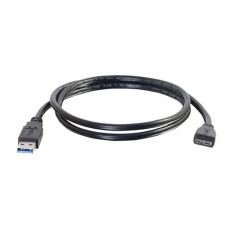
High-Performance SCSI Cables: Reliable Data Transfer
There were times when data transfer was about hooking up clunky, sluggish cables and hoping your hardware would work. Now, there are high-performance SCSI cables that have changed the way we manage data, particularly in high-usage environments such as servers, RAID systems, and enterprise storage. If you're in the market to buy high-quality SCSI connection cables or need to know the do's and don'ts of SCSI cables for sale, this guide is your best bet. We'll delve into everything from selecting the correct SCSI cable for your system to resolving common problems, all in a friendly tone that even makes complicated ideas easy to understand.
How to Choose the Right SCSI Cable for Your System
What is a SCSI cable, and how do I select the appropriate one?
A SCSI cable is an interface cable specifically designed for data transfer between SCSI devices such as hard drives, servers, and RAID arrays. Selecting the appropriate SCSI cable depends on your requirements, such as the SCSI port type, data transfer rate, and compatibility with the devices.
When shopping for high-performance SCSI cables, consider the SCSI cable connector types—68 pin, 50 pin, or VHDCI. For example, if you have a SCSI port type that uses a 68-pin connector, you'll need a matching 68-pin SCSI cable connector. Conversely, if you're connecting older equipment, a 50-pin SCSI to SATA adapter might be necessary.
Key factors to consider include:
- SCSI cable type: Are you working with SCSI-2 or SCSI-3 cable types? Both utilize different connector standards and levels of performance.
- Cable length: Longer cables can cause signal degradation, so select the shortest cable necessary.
- Speed level requirements: For high-speed SCSI data transfer cables, ensure the cable supports the target data rate, such as Ultra-320 or Ultra-640.
- Compatibility: Verify that the SCSI cable connectors are compatible with your device's SCSI connector, whether it's a port scsi or a specific scsi plug design.
By knowing all these considerations, you can buy refurbished SCSI cables online that will match your performance standards without costing you an arm and a leg.
Top-Rated SCSI Cables You Can Trust
Relying on quality SCSI cables for RAID and storage?
The best SCSI cables for sale are those that combine durability with high-speed data transfer capabilities. When you buy premium SCSI connection cables, you're investing in hardware that ensures data integrity and longevity.
Some top-rated options include the HP 413299-001 | 2M 68VHD to 68VHD SCSI Cable, renowned for its quality and compatibility with enterprise hardware. Similarly, the IBM 30-00202-000-00 | 3-Drop 50-Pin Internal SCSI Cable is a trusted choice for internal connections.
When shopping for external SCSI cables online, look for features like:
- Shielded design to prevent electromagnetic interference
- High-performance SCSI cable connectors guarantee secure connections
- Support for different SCSI port types, such as port scsi or scsi port types
- Support for high-speed SCSI data transfer cables, such as SCSI-2 or SCSI-3 cable types
Refurbished SCSI cables can be bought online with assurance that they have been quality-tested and proven to be both performance- and reliability-tested.
Installation Tips for SCSI Cables
How do I install SCSI cables correctly?
Installing SCSI cables may be simple, but correct installation maximizes performance and avoids hardware problems.
- Use the appropriate SCSI cable connector types: If you use a 68-pin SCSI cable or a 50-pin SCSI to USB converter cable, ensure they are securely attached.
- Avoid twisting or bending the cables too much: This can distort the internal wiring and lower data transfer rates.
- Secure the SCSI cable connector to the SCSI port or SCSI connector with care: Ensure that the SCSI plug is secure, and refrain from pushing too hard.
- End the SCSI chain correctly: Employ SCSI terminator cables bought online to avoid signal reflections that lead to data errors.
- Organize cables properly: Utilize cable management tools to prevent tangling, which causes accidental disconnection or destruction.
When purchasing rebuilt SCSI cables from the web, verify the compatibility with your hardware, such as a SCSI adapter, USB, or a SCSI to SATA converter, to ensure functionality.
Maintenance & Troubleshooting Your SCSI Connections
How do I troubleshoot a malfunctioning SCSI device?
Maintenance of your SCSI cables and connectors is essential to ensuring longevity and performance.
- Check the SCSI cable connectors frequently: Check for wear, corrosion, or pin bending.
- Test with an alternate cable: A faulty SCSI cord or SCSI cable connector may be the problem at times.
- Check the SCSI port and SCSI cable: Clean the port of dust or debris.
- Use a SCSI to USB adapter or a 50-pin SCSI to USB converter for compatibility: These are great troubleshooting devices.
- Replace old or faulty cables: If you experience deteriorating performance, buy bulk refurbished SCSI cables online for easy replacements.
Troubleshooting general problems entails ensuring the proper SCSI plug types, checking correct termination, and maintaining updated drivers if you're using a USB SCSI.
Advantages of Utilizing High-Quality SCSI Cables
Why do I need to buy high-performance SCSI cables?
High-quality SCSI cables have several advantages:
- Faster data transfer rates: High-speed SCSI data transfer cables are capable of handling higher data transmission, which is essential in data-intensive applications.
- Improved reliability: Better materials and advanced shielding minimize electromagnetic interference, which can corrupt data.
- Improved cable life: Higher-quality SCSI connection cables are more resistant to wear and tear, particularly in intensive environments such as data centers.
- Compatibility with a variety of devices: Be it an SCSI hard disk, an SCSI controller card, or an SCSI motherboard, high-quality cables provide hassle-free connectivity.
- Support for multiple SCSI cable connector types: From 68-pin to 50-pin, it's easy to get the ideal companion for your system.
For practical use cases, buying SCSI cables for RAID and storage means your data is protected and accessible, even with a heavy workload.
Comparison of Different SCSI Standards
What is the difference between SCSI-2 and SCSI-3 cable types?
Understanding SCSI cable standards helps you buy the right product.
| Feature | SCSI-2 | SCSI-3 |
| Speed | Up to 80 MB/s | Up to 640 MB/s (Ultra-640) |
| Cable Types | Narrow, Wide | Narrow, Wide, Ultra-320, Ultra-640 |
| Connectors | 50-pin, 68-pin | 50 pin, 68 pin, VHDCI |
| Typical Usage | Older servers, peripherals | Modern high-speed storage and servers |
Choosing the right SCSI cable types depends on your device's capabilities and your speed requirements. For example, if you need high-speed data transfer cables, look for SCSI-3 or Ultra-640 compatible cables.
New vs Refurbished SCSI Cables
Do you buy New or Refurbished SCSI Cables Online?
Both options have pros and cons:
New SCSI cables: Brand-new, guaranteed, with a warranty, and typically supplied with the latest standards.
Refurbished SCSI cables: Economical, particularly when purchasing bulk refurbished SCSI cables online, and often tested in detail for performance.
When purchasing SCSI cables, think of your budget and urgency. You can buy refurbished SCSI cables online that are affordable and provide you with the reliability and performance you need at a discounted price.
Customer Reviews & Satisfaction Guarantee
What do customers say about high-quality SCSI cables?
The majority of users indicate that purchasing high-end SCSI connection cables greatly enhanced the stability of their data transfers. Several people enjoy having access to bulk refurbished SCSI cables over the internet, which have made system upgrades or expansion cheaper.
Quality brands and merchants usually give satisfaction warranties, covering you in case the cable fails to operate as required. Always check customer reviews to determine the quality of the RAID and storage SCSI cables that you intend to buy.
Frequently Asked Questions
Q1: What is a SCSI cable?
A: A SCSI cable is a dedicated data transfer cable for connecting SCSI devices such as hard drives, servers, and RAID arrays. There are different types of SCSI cables, such as SCSI-2 and SCSI-3, with various connector types, including 68-pin, 50-pin, and VHDCI.
Q2: Is SCSI still used?
A: Although newer interfaces such as SAS and SATA have predominantly come to the fore in replacing SCSI, the latter is utilized in older systems, data centers, and high-end industrial processes, where tested reliability is required.
Q3: What does SCSI stand for?
A: SCSI stands for Small Computer System Interface. It's a standard for connecting and transferring data between devices and computers.
Q4: Can I connect a SCSI to USB?
A: Yes, a SCSI device can be connected to a computer through a SCSI to USB adapter or a USB to SCSI adapter. The adapters take the SCSI signals and make them USB, allowing them to be compatible with current systems.
Q5: What has taken the place of SCSI?
A: Serial Attached SCSI (SAS) and SATA have replaced old SCSI in most cases because they are faster and have simpler cabling.
Q6: Does USB employ SCSI?
A: Not explicitly. There are some USB-to-SCSI interface adapters, though, which allow SCSI peripherals to attach over USB.
Q7: What does a SCSI connector resemble?
A: A SCSI connector differs depending on the type: 68-pin, 50-pin, or VHDCI. They tend to be rectangular with several pins or a high-density connector.
Q8: Does Windows have SCSI support?
A: Yes, Windows has support for SCSI peripherals, but you might need special drivers or setup depending on the hardware and the type of interface.
Q9: Is SCSI quicker than SATA?
A: Generally, SCSI, very advanced SAS, can be quicker than SATA, particularly in high-speed SCSI data transfer cable-friendly enterprise environments.
Q10: Can SCSI be SSD?
A: Yes, SCSI interfaces can be attached to SSDs, especially SAS SSDs, which provide high-speed data transfer and consistency.
Q11: What is the speed limit of SCSI?
A: Legacy SCSI standards such as Ultra-640 provide up to 640 MB/s, but real-world performance will vary based on the quality of the cable and the compatible devices.
Q12: USB-C or SATA, which is quicker?
A: USB-C may have higher data rates through the use of USB 3.2 and Thunderbolt standards, more often than not beating SATA in speed, but this is implementation-dependent.
Summary:
In summary, choosing the right high-performance SCSI cables involves understanding your device’s SCSI cable connector types, desired data transfer speeds, and compatibility needs. Whether you’re buying refurbished SCSI cables online or seeking the best SCSI cables for RAID and storage, investing in quality ensures reliability and longevity.
From SCSI to USB adapters to SCSI cable connectors, there are more options than you can shake a stick at. But with the proper information and equipment, you can design your data system to achieve maximum efficiency. The secret to an efficient data transfer system is good quality cables—so don't cheap out when it comes to your SCSI connections.
If you're looking to upgrade or add to your system, search our extensive inventory of bulk refurbished SCSI cables online, and have the reassurance that comes with dependable, high-performance data transfer cables. Good hunting!